新建一个名为 blog 的项目,并创建以下文件结构
blog/
├── index.html       # 首页:展示精选/最新文章列表
├── list.html        # 列表页:展示所有文章及分页
├── article.html     # 详情页:单篇文章完整内容及评论
├── about.html       # 关于页:个人/团队介绍
└── style.css # 全局样式表:控制视觉与布局style.css
* {
    box-sizing: border-box;
    margin: 0;
    padding: 0;
}

body {
    font-family: "Helvetica Neue", Helvetica, Arial, sans-serif;
    line-height: 1.6;
    color: #333;
    background-color: #f4f4f4;
    display: flex;
    flex-direction: column;
    min-height: 100vh;
}

.skip-link {
    position: absolute;
    top: -40px;
    left: 0;
    background: #007bff;
    color: white;
    padding: 8px;
    z-index: 1001;
    transition: top 0.3s;
}
.skip-link:focus {
    top: 0;
}

a {
    text-decoration: none;
    color: #007bff;
    transition: color 0.3s;
}

a:hover {
    color: #0056b3;
    text-decoration: underline;
}

img {
    max-width: 100%;
    height: auto;
    display: block;
}

ul {
    list-style: none;
}

.container {
    width: 90%;
    max-width: 1200px;
    margin: 0 auto;
    padding: 0 15px;
}

.site-header {
    background: #fff;
    border-bottom: 1px solid #ddd;
    padding: 1rem 0;
    position: sticky;
    top: 0;
    z-index: 1000;
    box-shadow: 0 2px 4px rgba(0,0,0,0.05);
}

.header-content {
    display: flex;
    justify-content: space-between;
    align-items: center;
}

.logo {
    font-size: 1.5rem;
    font-weight: bold;
    color: #333;
}

.main-nav ul {
    display: flex;
    gap: 20px;
}

.main-nav a {
    color: #555;
    font-weight: 500;
}

.main-nav a.active, .main-nav a:hover {
    color: #007bff;
}

.content-wrapper, .article-layout {
    display: grid;
    gap: 30px;
    margin-top: 30px;
    margin-bottom: 30px;
    flex: 1; /* 撑开高度 */
}

.content-wrapper {
    grid-template-columns: 2fr 1fr;
}

.article-layout {
    grid-template-columns: 3fr 1fr;
}

/* --- 6. 卡片与文章样式 --- */
.card {
    background: #fff;
    padding: 20px;
    margin-bottom: 20px;
    border-radius: 8px;
    box-shadow: 0 2px 5px rgba(0,0,0,0.05);
    transition: transform 0.2s;
}

.card:hover {
    transform: translateY(-3px);
    box-shadow: 0 5px 15px rgba(0,0,0,0.1);
}

.card h2 {
    margin-bottom: 10px;
    font-size: 1.4rem;
    color: #222;
}

.card-meta {
    font-size: 0.85rem;
    color: #888;
    margin-bottom: 15px;
    display: flex;
    gap: 10px;
    flex-wrap: wrap;
}

.read-more {
    display: inline-block;
    margin-top: 10px;
    font-weight: bold;
    font-size: 0.9rem;
}

.article-content {
    background: #fff;
    padding: 40px;
    border-radius: 8px;
    box-shadow: 0 2px 5px rgba(0,0,0,0.05);
}

.article-content h1 {
    font-size: 2.2rem;
    margin-bottom: 10px;
    line-height: 1.3;
}

.article-body {
    margin-top: 25px;
    font-size: 1.1rem;
    color: #444;
}

.article-body p {
    margin-bottom: 1.5rem;
}

.article-body h2, .article-body h3 {
    margin-top: 2rem;
    margin-bottom: 1rem;
    color: #222;
}

.article-body code {
    background: #f0f0f0;
    padding: 2px 6px;
    border-radius: 4px;
    font-family: Consolas, monospace;
    color: #d63384;
}

.article-body pre {
    background: #2d2d2d;
    color: #fff;
    padding: 15px;
    border-radius: 6px;
    overflow-x: auto;
    margin-bottom: 1.5rem;
}

.article-body pre code {
    background: transparent;
    color: inherit;
    padding: 0;
}

.sidebar-widget {
    background: #fff;
    padding: 20px;
    margin-bottom: 20px;
    border-radius: 8px;
    box-shadow: 0 2px 5px rgba(0,0,0,0.05);
}

.sidebar-widget h3 {
    border-bottom: 2px solid #007bff;
    padding-bottom: 10px;
    margin-bottom: 15px;
    font-size: 1.1rem;
    color: #333;
}

.sidebar-widget ul li {
    border-bottom: 1px solid #eee;
    padding: 8px 0;
}

.sidebar-widget ul li:last-child {
    border-bottom: none;
}

.tag-cloud {
    display: flex;
    flex-wrap: wrap;
    gap: 8px;
}

.tag-cloud li {
    border: none;
    padding: 0;
}

.tag-cloud a {
    display: inline-block;
    background: #f0f2f5;
    padding: 4px 10px;
    border-radius: 20px;
    font-size: 0.85rem;
    color: #555;
}

.tag-cloud a:hover {
    background: #007bff;
    color: #fff;
    text-decoration: none;
}

.about-section {
    background: #fff;
    padding: 40px;
    border-radius: 8px;
    margin-top: 30px;
    margin-bottom: 30px;
    box-shadow: 0 2px 5px rgba(0,0,0,0.05);
}

.tech-stack li {
    display: inline-block;
    background: #eef;
    color: #44a;
    padding: 5px 12px;
    border-radius: 4px;
    margin: 5px 5px 5px 0;
    font-size: 0.9rem;
}

.site-footer {
    background: #333;
    color: #fff;
    text-align: center;
    padding: 20px 0;
    margin-top: auto;
}

.site-footer p {
    font-size: 0.9rem;
    opacity: 0.8;
}

@media (max-width: 768px) {
    .content-wrapper, .article-layout {
        grid-template-columns: 1fr; /* 手机端变为单栏 */
    }

    .header-content {
        flex-direction: column;
        gap: 15px;
    }

    .main-nav ul {
        gap: 15px;
        font-size: 0.9rem;
        flex-wrap: wrap;
        justify-content: center;
    }

    .article-content {
        padding: 20px;
    }

    .article-content h1 {
        font-size: 1.6rem;
    }
}index.html

<!DOCTYPE html>
<html lang="zh-CN">
<head>
<meta charset="UTF-8">
<!-- 关键:viewport 设置确保移动端缩放正常 -->
<meta name="viewport" content="width=device-width, initial-scale=1.0">
<meta name="description" content="DevBlog - 专注于前端技术分享,涵盖 HTML5, CSS3, JavaScript 等最新趋势。">
<title>技术博客 - 首页</title>
<link rel="stylesheet" href="style.css">
</head>
<body>
<!-- 无障碍:跳过导航链接 -->
<a href="#main-content" class="skip-link">跳到主要内容</a>
<header class="site-header">
<div class="container header-content">
<a href="index.html" class="logo">DevBlog</a>
<nav class="main-nav" aria-label="主导航">
<ul>
<li><a href="index.html" class="active">首页</a></li>
<li><a href="list.html">文章列表</a></li>
<li><a href="about.html">关于我</a></li>
</ul>
</nav>
</div>
</header>
<div class="container content-wrapper">
<!-- 主要区域:使用 main 标签包裹核心内容 -->
<main id="main-content">
<h1 style="margin-bottom: 20px; font-size: 1.8rem;">最新文章</h1>
<!-- 文章列表项:每个摘要都是一个独立的 article -->
<article class="card">
<header>
<h2><a href="article.html">深入理解 HTML5 语义化标签</a></h2>
<div class="card-meta">
<time datetime="2026-03-08">2026-03-08</time>
<span>| 作者:Admin</span>
<span>| 分类:前端基础</span>
</div>
</header>
<p>HTML5 引入了一系列语义化标签,如 header, nav, main, article 等,这不仅有助于搜索引擎优化 (SEO),还能提高代码的可读性和可维护性...</p>
<a href="article.html" class="read-more">阅读全文 →</a>
</article>
<article class="card">
<header>
<h2><a href="#">CSS Grid 与 Flexbox 的实战对比</a></h2>
<div class="card-meta">
<time datetime="2026-03-05">2026-03-05</time>
<span>| 作者:Admin</span>
<span>| 分类:CSS 进阶</span>
</div>
</header>
<p>在现代网页布局中,Grid 和 Flexbox 是最强大的两个工具。本文将通过实际案例,分析在什么场景下使用 Grid,什么场景下使用 Flexbox...</p>
<a href="#" class="read-more">阅读全文 →</a>
</article>
<article class="card">
<header>
<h2><a href="#">JavaScript 异步编程指南</a></h2>
<div class="card-meta">
<time datetime="2026-03-01">2026-03-01</time>
<span>| 作者:Admin</span>
<span>| 分类:JavaScript</span>
</div>
</header>
<p>从回调函数到 Promise,再到 async/await,JavaScript 的异步编程模式经历了巨大的演变。让我们一起来看看如何优雅地处理异步操作...</p>
<a href="#" class="read-more">阅读全文 →</a>
</article>
</main>
<!-- 侧边栏:使用 aside 标签 -->
<aside class="sidebar">
<div class="sidebar-widget">
<h3>作者简介</h3>
<p>一名热爱前端技术的开发者,专注于分享 Web 开发的最佳实践和最新趋势。</p>
</div>
<div class="sidebar-widget">
<h3>热门分类</h3>
<ul class="tag-cloud">
<li><a href="#">HTML5 & CSS3</a></li>
<li><a href="#">JavaScript ES6+</a></li>
<li><a href="#">React / Vue</a></li>
<li><a href="#">后端技术</a></li>
</ul>
</div>
<div class="sidebar-widget">
<h3>订阅我们</h3>
<p style="font-size: 0.9rem; margin-bottom: 10px;">输入邮箱获取最新技术文章推送。</p>
<form action="#" style="display: flex; gap: 5px;">
<input type="email" placeholder="您的邮箱" style="flex: 1; padding: 8px; border: 1px solid #ddd; border-radius: 4px;">
<button type="submit" style="padding: 8px 12px; background: #007bff; color: #fff; border: none; border-radius: 4px; cursor: pointer;">订阅</button>
</form>
</div>
</aside>
</div>
<footer class="site-footer">
<div class="container">
<p>© 2026 DevBlog. All Rights Reserved. Designed for HTML5 Practice.</p>
</div>
</footer>
</body>
</html>list.html

<!DOCTYPE html>
<html lang="zh-CN">
<head>
<meta charset="UTF-8">
<meta name="viewport" content="width=device-width, initial-scale=1.0">
<title>文章列表 - 技术博客</title>
<link rel="stylesheet" href="style.css">
</head>
<body>
<a href="#main-content" class="skip-link">跳到主要内容</a>
<header class="site-header">
<div class="container header-content">
<a href="index.html" class="logo">DevBlog</a>
<nav class="main-nav" aria-label="主导航">
<ul>
<li><a href="index.html">首页</a></li>
<li><a href="list.html" class="active">文章列表</a></li>
<li><a href="about.html">关于我</a></li>
</ul>
</nav>
</div>
</header>
<div class="container content-wrapper">
<main id="main-content">
<h1 style="margin-bottom: 20px; font-size: 1.8rem;">所有文章</h1>
<article class="card">
<header>
<h2><a href="#">Python 3.12 新特性解析</a></h2>
<div class="card-meta">
<time datetime="2026-02-28">2026-02-28</time>
<span>| Python</span>
</div>
</header>
<p>Python 3.12 带来了许多令人兴奋的新特性,包括更优化的错误消息、新的类型检查语法以及 f-string 的改进...</p>
<a href="#" class="read-more">阅读详情 →</a>
</article>
<article class="card">
<header>
<h2><a href="#">Docker 容器化部署最佳实践</a></h2>
<div class="card-meta">
<time datetime="2026-02-25">2026-02-25</time>
<span>| DevOps</span>
</div>
</header>
<p>在使用 Docker 进行应用部署时,如何减小镜像体积、提高构建速度以及确保安全性是开发者关注的重点...</p>
<a href="#" class="read-more">阅读详情 →</a>
</article>
<article class="card">
<header>
<h2><a href="#">数据库索引优化策略</a></h2>
<div class="card-meta">
<time datetime="2026-02-20">2026-02-20</time>
<span>| Database</span>
</div>
</header>
<p>索引是提升数据库查询性能的关键。本文将探讨 B-Tree 索引的工作原理,以及在什么情况下索引会失效...</p>
<a href="#" class="read-more">阅读详情 →</a>
</article>
<!-- 分页导航:使用 nav 标签并添加 aria-label -->
<nav class="pagination" aria-label="文章分页" style="margin-top: 30px; text-align: center;">
<ul style="display: flex; justify-content: center; gap: 10px; list-style: none;">
<li><a href="#" style="color: #999; pointer-events: none;">« 上一页</a></li>
<li><a href="#" class="active" style="background: #007bff; color: #fff; padding: 5px 10px; border-radius: 4px;">1</a></li>
<li><a href="#" style="padding: 5px 10px; border: 1px solid #ddd; border-radius: 4px;">2</a></li>
<li><a href="#" style="padding: 5px 10px; border: 1px solid #ddd; border-radius: 4px;">3</a></li>
<li><a href="#" style="padding: 5px 10px; border: 1px solid #ddd; border-radius: 4px;">下一页 »</a></li>
</ul>
</nav>
</main>
<aside class="sidebar">
<div class="sidebar-widget">
<h3>归档</h3>
<ul>
<li><a href="#">2026 年 3 月 (5)</a></li>
<li><a href="#">2026 年 2 月 (8)</a></li>
<li><a href="#">2026 年 1 月 (12)</a></li>
</ul>
</div>
<div class="sidebar-widget">
<h3>标签云</h3>
<ul class="tag-cloud">
<li><a href="#">HTML5</a></li>
<li><a href="#">CSS</a></li>
<li><a href="#">JS</a></li>
<li><a href="#">Python</a></li>
</ul>
</div>
</aside>
</div>
<footer class="site-footer">
<div class="container">
<p>© 2026 DevBlog. All Rights Reserved.</p>
</div>
</footer>
</body>
</html>article.html
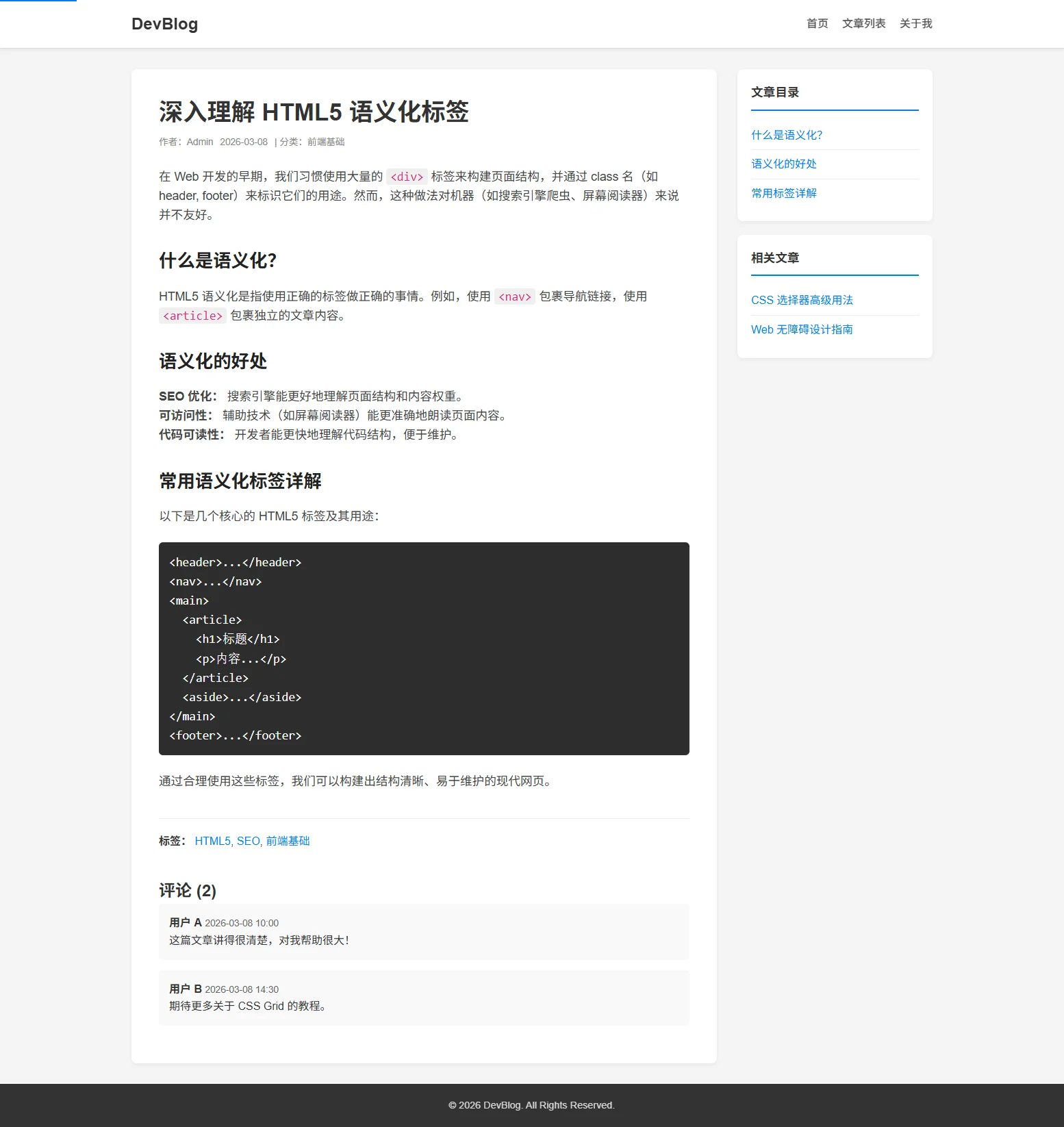
<!DOCTYPE html>
<html lang="zh-CN">
<head>
<meta charset="UTF-8">
<meta name="viewport" content="width=device-width, initial-scale=1.0">
<title>深入理解 HTML5 语义化标签 - 技术博客</title>
<link rel="stylesheet" href="style.css">
</head>
<body>
<a href="#main-content" class="skip-link">跳到主要内容</a>
<header class="site-header">
<div class="container header-content">
<a href="index.html" class="logo">DevBlog</a>
<nav class="main-nav" aria-label="主导航">
<ul>
<li><a href="index.html">首页</a></li>
<li><a href="list.html">文章列表</a></li>
<li><a href="about.html">关于我</a></li>
</ul>
</nav>
</div>
</header>
<div class="container article-layout">
<main id="main-content">
<!-- 单个完整文章 -->
<article class="article-content">
<header>
<h1>深入理解 HTML5 语义化标签</h1>
<div class="card-meta">
<span>作者:Admin</span>
<time datetime="2026-03-08">2026-03-08</time>
<span>| 分类:前端基础</span>
</div>
</header>
<div class="article-body">
<p>在 Web 开发的早期,我们习惯使用大量的 <code><div></code> 标签来构建页面结构,并通过 class 名(如 header, footer)来标识它们的用途。然而,这种做法对机器(如搜索引擎爬虫、屏幕阅读器)来说并不友好。</p>
<h2>什么是语义化?</h2>
<p>HTML5 语义化是指使用正确的标签做正确的事情。例如,使用 <code><nav></code> 包裹导航链接,使用 <code><article></code> 包裹独立的文章内容。</p>
<h2>语义化的好处</h2>
<ul>
<li><strong>SEO 优化:</strong> 搜索引擎能更好地理解页面结构和内容权重。</li>
<li><strong>可访问性:</strong> 辅助技术(如屏幕阅读器)能更准确地朗读页面内容。</li>
<li><strong>代码可读性:</strong> 开发者能更快地理解代码结构,便于维护。</li>
</ul>
<h2>常用语义化标签详解</h2>
<p>以下是几个核心的 HTML5 标签及其用途:</p>
<pre><code><header>...</header>
<nav>...</nav>
<main>
<article>
<h1>标题</h1>
<p>内容...</p>
</article>
<aside>...</aside>
</main>
<footer>...</footer></code></pre>
<p>通过合理使用这些标签,我们可以构建出结构清晰、易于维护的现代网页。</p>
</div>
<footer style="margin-top: 40px; border-top: 1px solid #eee; padding-top: 20px;">
<p><strong>标签:</strong>
<a href="#">HTML5</a>,
<a href="#">SEO</a>,
<a href="#">前端基础</a>
</p>
</footer>
<!-- 评论区:评论也是独立的内容,可以使用 article -->
<section style="margin-top: 40px;">
<h2>评论 (2)</h2>
<article style="background: #f9f9f9; padding: 15px; margin-bottom: 15px; border-radius: 6px;">
<header>
<strong>用户 A</strong>
<time datetime="2026-03-08T10:00" style="color: #666; font-size: 0.85rem;">2026-03-08 10:00</time>
</header>
<p>这篇文章讲得很清楚,对我帮助很大!</p>
</article>
<article style="background: #f9f9f9; padding: 15px; margin-bottom: 15px; border-radius: 6px;">
<header>
<strong>用户 B</strong>
<time datetime="2026-03-08T14:30" style="color: #666; font-size: 0.85rem;">2026-03-08 14:30</time>
</header>
<p>期待更多关于 CSS Grid 的教程。</p>
</article>
</section>
</article>
</main>
<aside class="sidebar">
<div class="sidebar-widget">
<h3>文章目录</h3>
<ul>
<li><a href="#">什么是语义化?</a></li>
<li><a href="#">语义化的好处</a></li>
<li><a href="#">常用标签详解</a></li>
</ul>
</div>
<div class="sidebar-widget">
<h3>相关文章</h3>
<ul>
<li><a href="#">CSS 选择器高级用法</a></li>
<li><a href="#">Web 无障碍设计指南</a></li>
</ul>
</div>
</aside>
</div>
<footer class="site-footer">
<div class="container">
<p>© 2026 DevBlog. All Rights Reserved.</p>
</div>
</footer>
</body>
</html>about.html
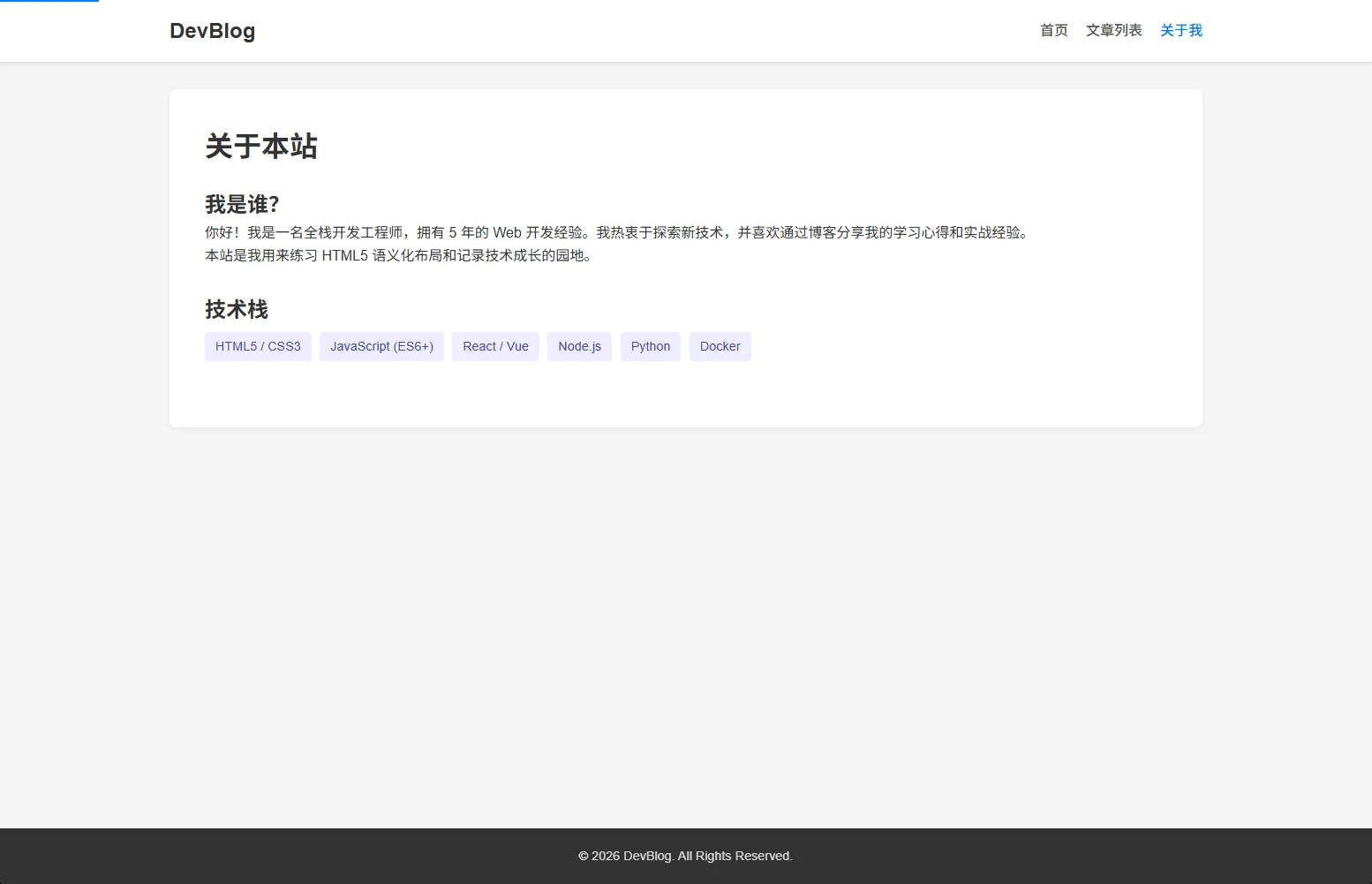
<!DOCTYPE html>
<html lang="zh-CN">
<head>
<meta charset="UTF-8">
<meta name="viewport" content="width=device-width, initial-scale=1.0">
<title>关于我 - 技术博客</title>
<link rel="stylesheet" href="style.css">
</head>
<body>
<a href="#main-content" class="skip-link">跳到主要内容</a>
<header class="site-header">
<div class="container header-content">
<a href="index.html" class="logo">DevBlog</a>
<nav class="main-nav" aria-label="主导航">
<ul>
<li><a href="index.html">首页</a></li>
<li><a href="list.html">文章列表</a></li>
<li><a href="about.html" class="active">关于我</a></li>
</ul>
</nav>
</div>
</header>
<div class="container">
<main id="main-content" class="about-section">
<h1 style="margin-bottom: 20px;">关于本站</h1>
<section style="margin-bottom: 30px;">
<h2>我是谁?</h2>
<p>你好!我是一名全栈开发工程师,拥有 5 年的 Web 开发经验。我热衷于探索新技术,并喜欢通过博客分享我的学习心得和实战经验。</p>
<p>本站是我用来练习 HTML5 语义化布局和记录技术成长的园地。</p>
</section>
<section style="margin-bottom: 30px;">
<h2>技术栈</h2>
<ul class="tech-stack">
<li>HTML5 / CSS3</li>
<li>JavaScript (ES6+)</li>
<li>React / Vue</li>
<li>Node.js</li>
<li>Python</li>
<li>Docker</li>
</ul>
</section>
</main>
</div>
<footer class="site-footer">
<div class="container">
<p>© 2026 DevBlog. All Rights Reserved.</p>
</div>
</footer>
</body>
</html>